My Vinyl+
on iPhone Duo
Open your collection across two screens. See the vinyl and its pressing details side by side, or fold your iPhone to scan a stack of records hands-free.

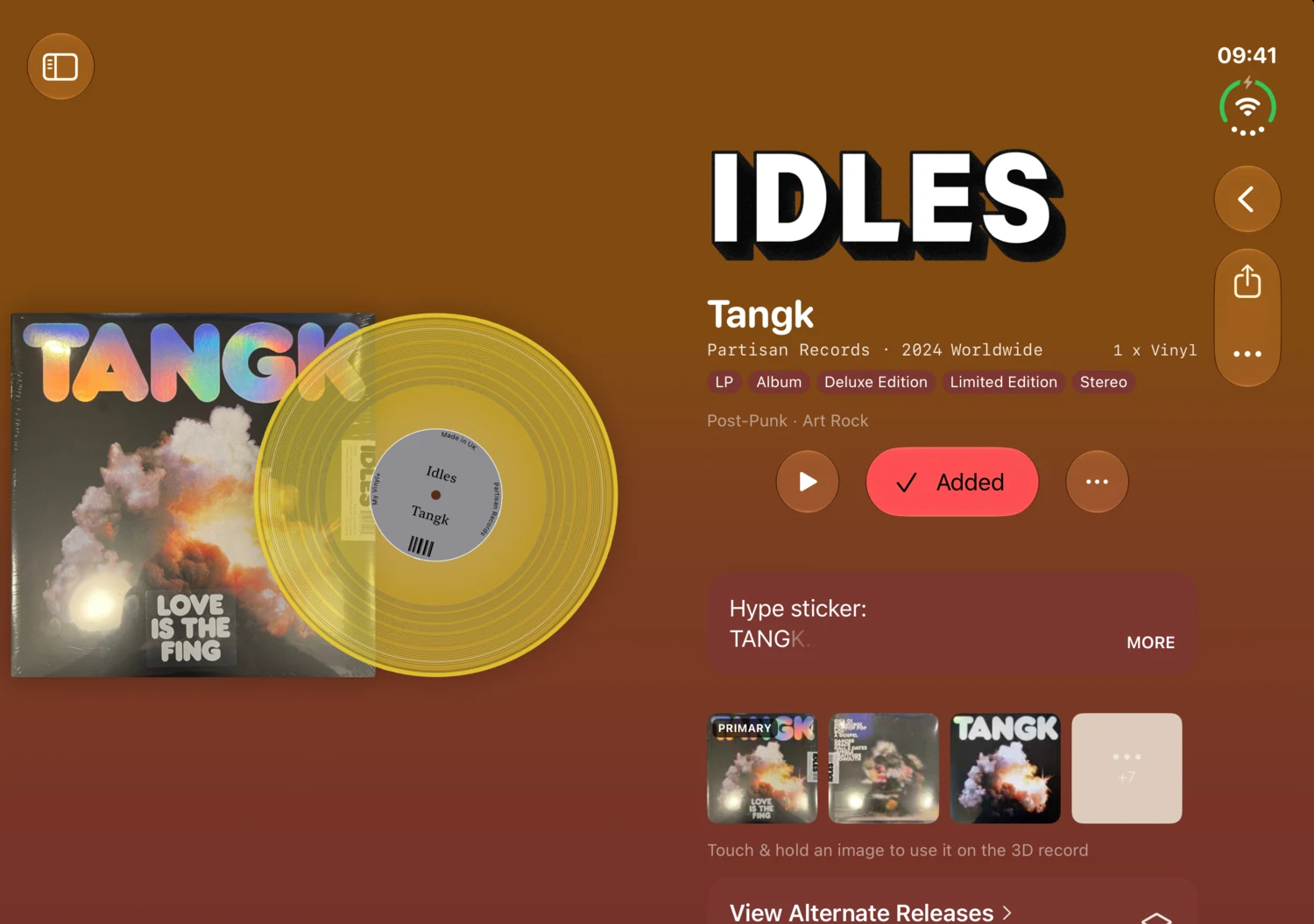
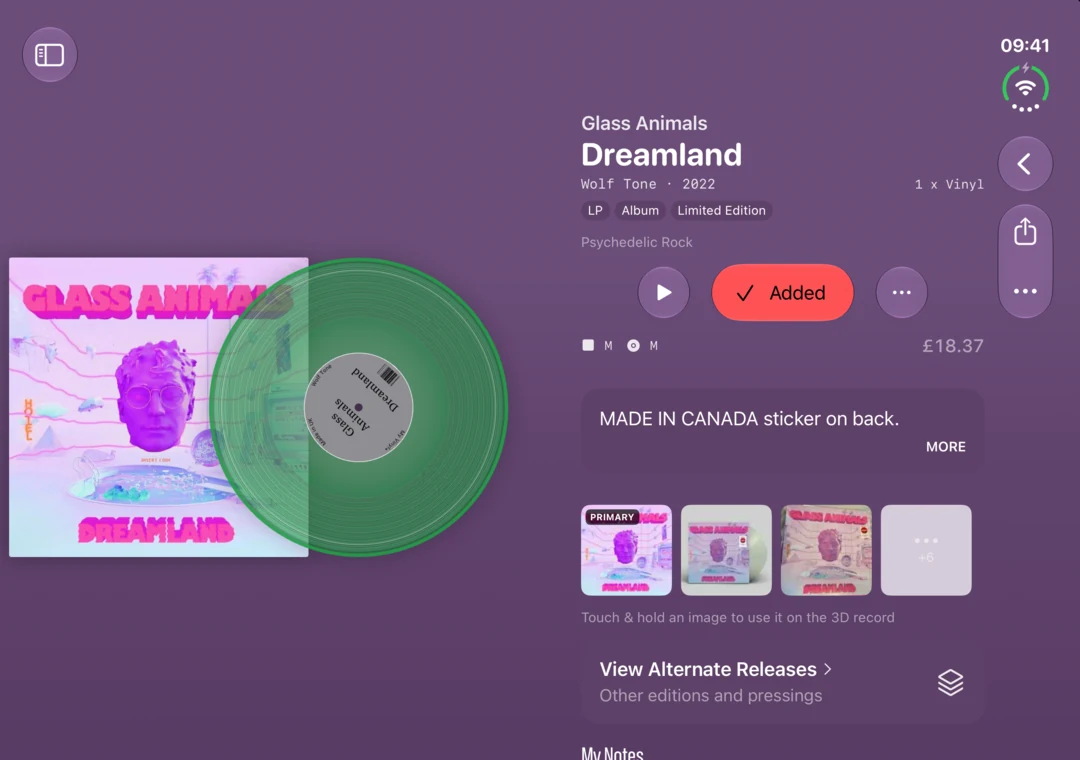
The record page, unfolded
Open your iPhone Duo and the vinyl slides out of its sleeve. Close it and the record slips back in.
Artwork, label and disc are drawn from the release's own photos. The label, catalogue number, format, country, year and your own notes and grading stay visible beside the record.
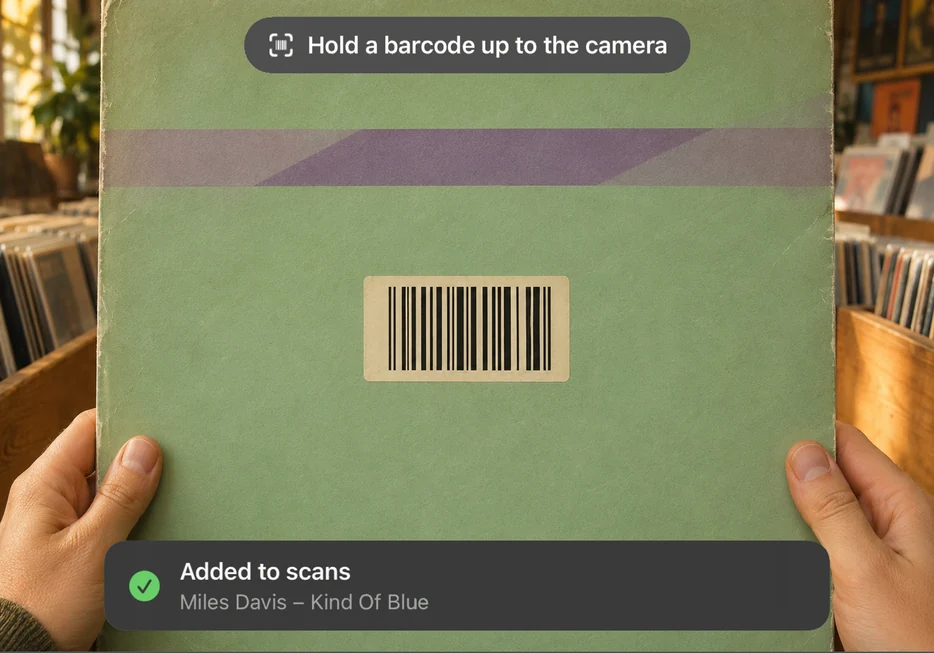
Scan a shelf hands-free
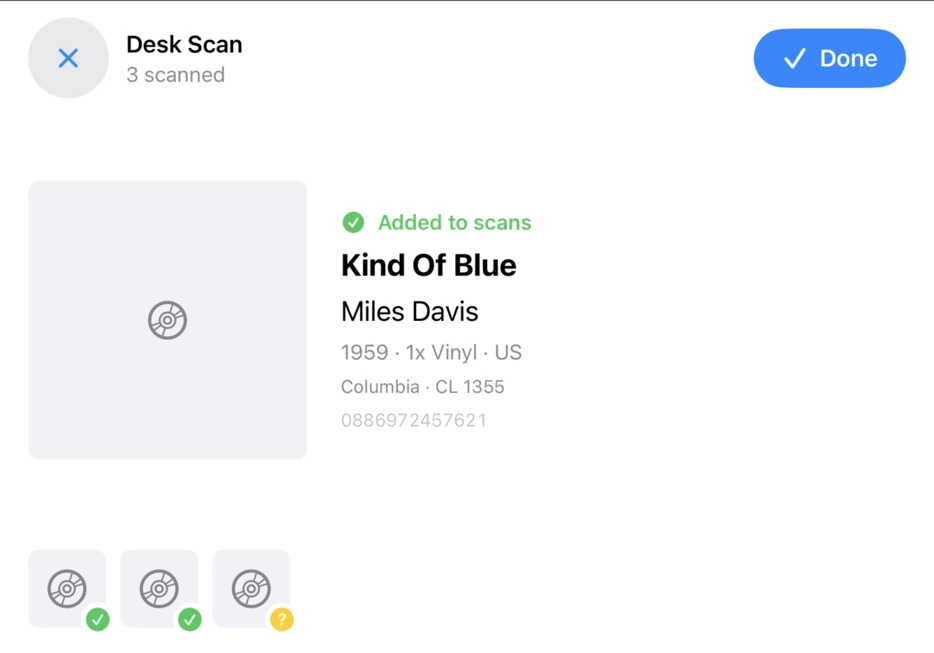
Fold your iPhone Duo like a laptop and set it on a counter. Hold each sleeve up to the inner camera and the bottom screen shows the match, whether you already own it, and how many records you've scanned.
The bulk scanner suggests folding the Duo the first time you open it. The screen stays awake, duplicate scans are filtered within the session, and you can review the stack before importing it.
Desk Scan needs My Vinyl+ 4.5.2 or later.
What you need
An iPhone Duo with iOS 26 for the unfolded record page, and a Discogs account if you want to sync your collection and wantlist.
Planning a Record Store Day run? Browse Record Store Day release lists or see what's new in My Vinyl+.