
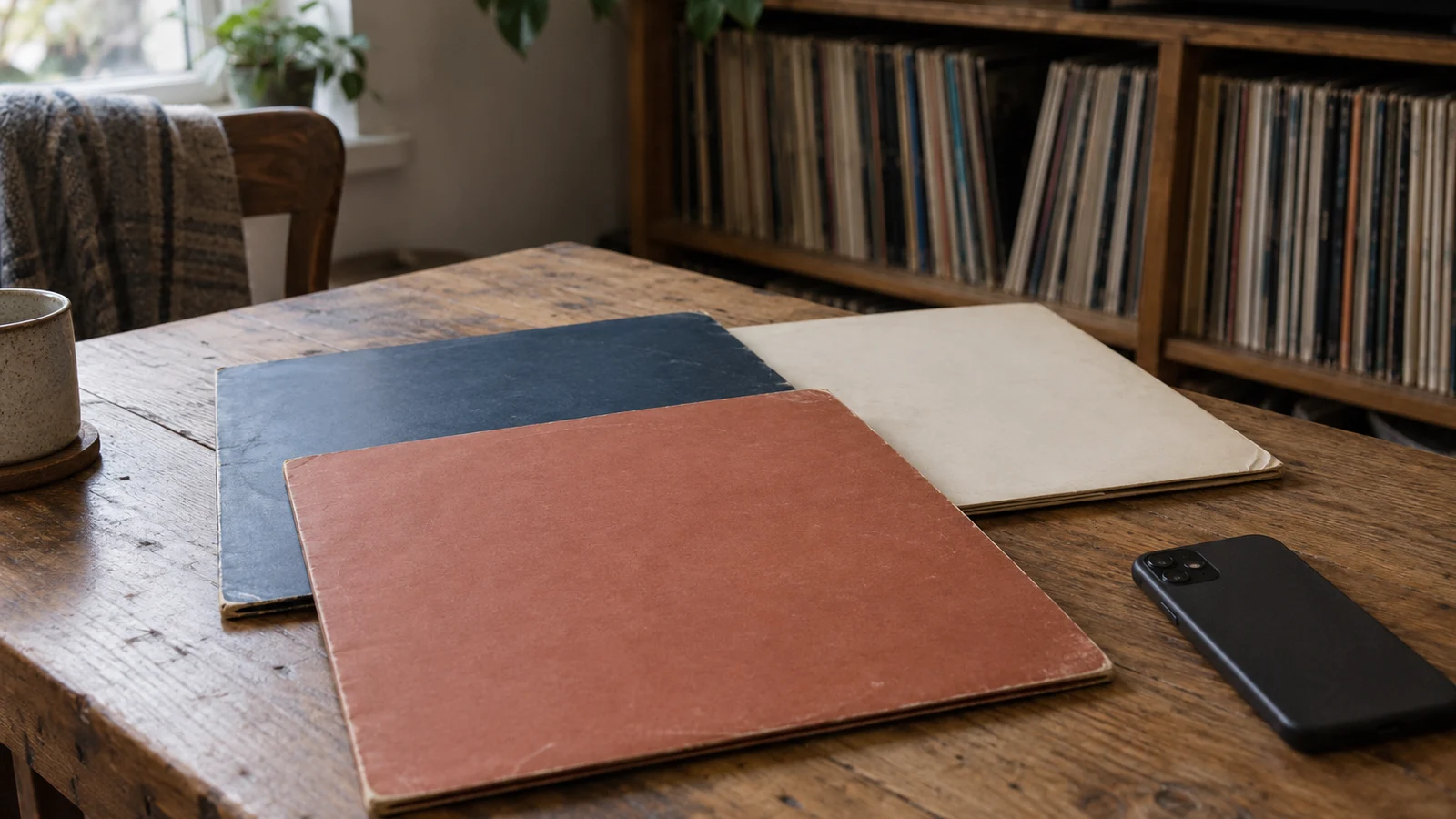
I can recognize the records on my shelves and still misjudge what I own. A run of recent jazz purchases feels like the whole collection until I look at the older records behind it.
The Library view in My Vinyl’s Insights screen lets me check that impression against the collection’s genres, artists, release years, and dates added. I use it to answer a specific question about my shelves, not to chase a higher score or decide what my taste ought to be.
The October 19 release notes mention a refreshed Insights screen on iPhone.[1] This walkthrough follows the Android beta’s screen code and calculations, which I checked separately. The cropped image below is a real app-rendered preview with sample data, not a screenshot of my personal collection.
Open Insights and choose Library
Insights has two modes, Value and Library. For this review, choose Library rather than the financial view. Its overview shows Total Albums, Artists, Genres, and a Diversity score, followed by the cards Genre Universe, Top Artists, Decades Timeline, and Collection Growth.
The overview is available without Platinum. The four detailed cards require Platinum access, and tapping a locked card opens the upgrade screen rather than its detail page. If you only want the overview, you do not need to open a paid card or make a purchase.
Start with this sequence:
- Open My Vinyl, sign in to your collection account if needed, and let your collection finish loading. Insights is not in the guest navigation.
- On an Android phone, tap Insights in the bottom navigation.
- Select Library at the top of the screen.
- Compare Total Albums with how much of your collection you have actually cataloged. A partly entered collection produces a partly representative summary.
- If you have Platinum access, open the card that matches your question. Choose Genre Universe for musical categories, or Collection Growth for when records entered the catalog.
I would finish entering an overlooked shelf before drawing conclusions from the overview. NEDCC’s audiovisual inventory guidance makes a useful distinction between basic identification and richer description. Capture the essential information first, then add detail where it helps.[2] You do not need to turn a collection review into a complete archival project.
Use Genre Universe to find records, not judge your taste
Open Genre Universe to see the leading genres and their counts. In its detail view, tap a genre to open a grid of matching records. Tap a record in that grid to open its details.
That is a useful route when I know the kind of music I want but cannot name an album. Instead of stopping at the biggest segment of the chart, I would open a smaller category and look for something I have neglected. The chart becomes a way to browse actual records.
A release can carry more than one genre, and the Android calculation counts each assigned genre. Do not assume that every record occupies exactly one exclusive slice. A genre count tells you how many collection entries carry that label, not how many hours you have spent listening to it.
The Library of Congress describes genre and form terms as descriptions of what a resource is, rather than what it is about.[3] That distinction is helpful here, although My Vinyl is not claiming to use the Library’s vocabulary. Genre labels organize the catalog. They do not measure how adventurous, knowledgeable, or committed a listener is.
Read Top Artists as a count of collection entries
Top Artists ranks names using the artist information attached to the releases in your collection. Open the card for the ranked detail view. Tapping an artist there highlights the row. It does not open that artist’s complete catalog.
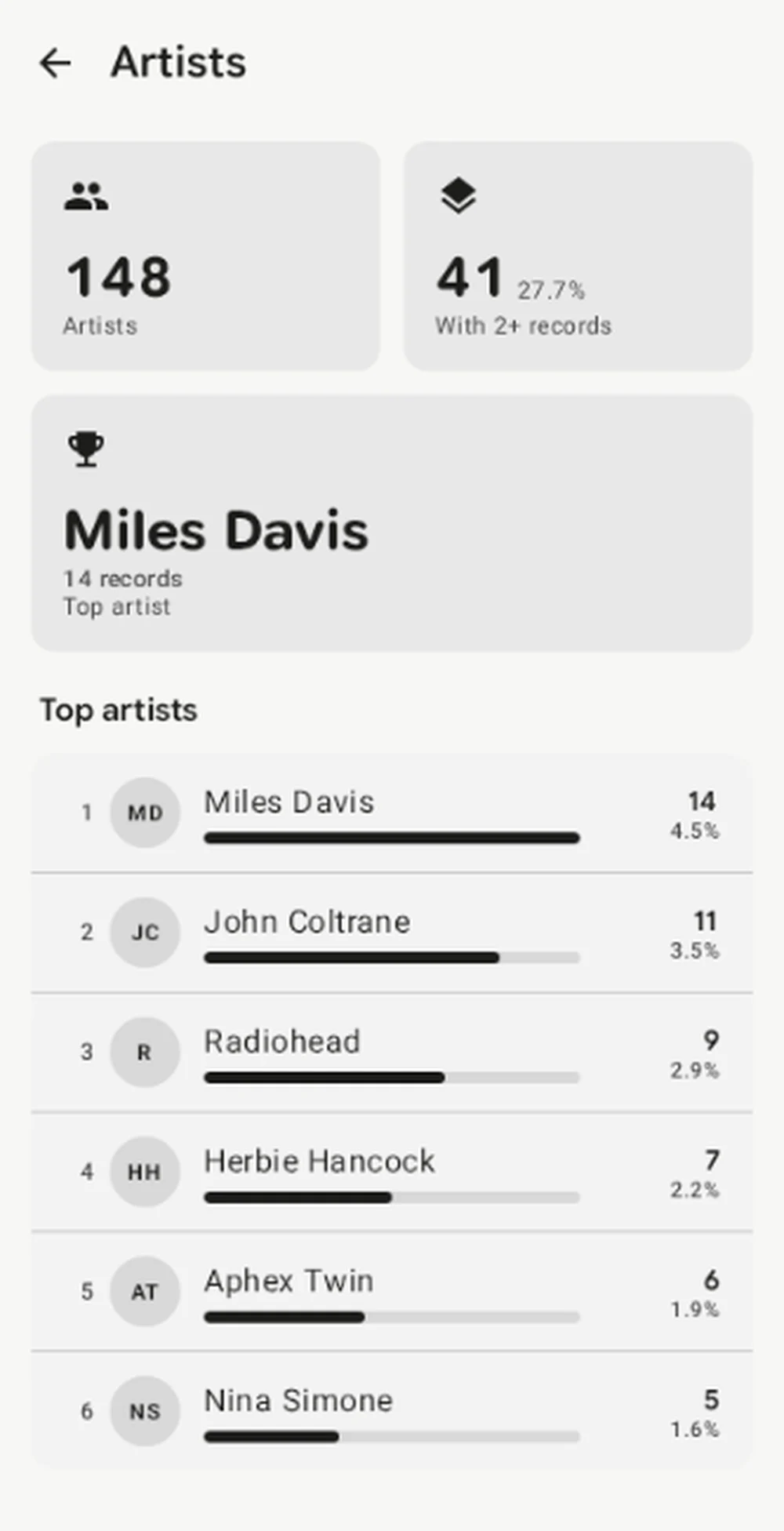
App-rendered Android preview using sample collection data, cropped to the populated part of the screen.
This is an ownership count, not a listening chart. Two separately cataloged editions of the same album can contribute two entries. The calculation uses release-level artist information, not a count of every musician named in the credits.
I would compare the leading name with what I actually reach for during the week. If those differ, that gives me a listening idea rather than a problem to fix. An artist with several records on the shelf may deserve an evening before another purchase does.
Check which dates the decades represent
Decades Timeline groups entries by their stored release year. Open the detail view and select a chart column to see that decade’s count and share. Releases without a known year do not enter the decade chart, and the screen reports the unknown-year count separately.
A release year is not necessarily the year the music was recorded or first issued. A recent reissue of an older album can belong to the newer decade if that is the year stored for the edition. The chart does not independently research the original recording date.
This is a real cataloging distinction. The Library of Congress’s MARC 264 standard separates publication, manufacture, and copyright statements, including phonogram copyright dates.[4] NEDCC likewise warns that an audiovisual item can have several associated dates, and that the content can predate the physical copy.[2]
Before concluding that your shelves favor a particular musical era, check a few familiar reissues. Compare their displayed years with the editions you own. I would keep a correct edition year rather than replace it with an original album date just to make a chart look more intuitive.
Read Collection Growth as catalog history
Collection Growth uses dates added, not the release years used by Decades Timeline. Its detail view offers 6M, 1Y, 2Y, and All ranges, with Total and Monthly views. Monthly breakdown expands a list of the additions within the selected range.
I use Monthly to find a period worth checking, then Total to see the accumulated additions. Neither view proves how much I spent. A record entered today might be a gift, an old purchase finally cataloged, or something bought that afternoon.
A batch of entries can therefore look like a buying surge even when no new records came home. Check what happened during that month before setting a budget around the chart. Dates added describe the surviving catalog entries, not a complete financial diary of every record ever bought or sold.
The overview’s Diversity score needs similar restraint. The Android calculation compares unique genre and artist counts with collection size. It does not listen to your records or assess their musical quality, and I would not buy something to improve it.
Finish with one decision about the shelves
Choose one result you can act on. That might mean opening an overlooked genre, playing a record by your most collected artist, or checking whether a surprising decade reflects recent reissues. Stop once the question that brought you to Insights has an answer.
If the next problem is finding those records physically, use the guide to organizing a vinyl collection before moving everything around. A useful catalog and a workable shelf order should help you retrieve the same album.
I started with the gap between what my shelves feel like and what they contain. Open Library tonight, pick one card, and check its result against a record you can hold. Then put that record on, rather than spending the evening trying to improve the numbers.
Sources
[1] My Vinyl+: release history, including the October 19 Insights update
[2] NEDCC: Fundamentals of AV Preservation, chapter 2, section 1, inventory
[3] Library of Congress: introduction to Genre/Form Terms for Library and Archival Materials