A familiar album suddenly sounds wrong. The singer sits a little lower than usual, piano notes seem seasick, or a long guitar chord refuses to hold still.
Do not reach for a screwdriver yet. A turntable that sounds slow, fast, or unsteady can have several causes, and some are outside the turntable. The useful first step is to describe the fault precisely.
Decide what kind of speed problem you have
These symptoms point in different directions:
- Everything plays consistently sharp or flat. The platter may be running at the wrong average speed, or the wrong speed setting is selected.
- Pitch rises and falls during held notes. You may be hearing unstable rotation, often called wow and flutter.
- The pitch bends once during every revolution on one record. Watch the tonearm from the front. If it sways left and right, the record may be pressed off-centre.
- Playback starts correctly, then slows or becomes irregular. A slipping, stretched, twisted, or dirty belt is a likely suspect on a belt-drive deck.
- Only one album sounds wrong. Check another copy or a trusted record before touching the turntable.
The distinction matters. No motor adjustment can centre an off-centre pressing, and a new belt will not fix a 45 played at 33.
Start with a two-record listening test
Choose two clean records you know well, ideally from different labels and pressing runs. Music with sustained piano, organ, strings, synths, or vocals makes pitch movement easier to hear than busy percussion.
Play the same short passage from each record and ask:
- Is the problem present on both records?
- Is the pitch consistently wrong, or does it wander?
- Does the tonearm move sideways once per revolution?
- Does the fault change after the turntable has run for ten minutes?
If only one record wavers and the tonearm sways in time with it, stop there. The pressing is the main suspect. If both records sound consistently slow or unstable, continue with the deck.
Confirm the selected speed
Check the obvious setting before measuring anything. LPs normally use 33 1/3 rpm and most singles use 45 rpm, but size alone is not proof. Some 12-inch releases run at 45 and some 7-inch records run at 33. Read the label or sleeve.
On turntables with a stepped motor pulley, changing speed may require moving the belt to another pulley step. Other models use a switch or electronic control. Follow the manual for your exact model. The wrong belt position can create a perfectly steady but perfectly wrong result.
Measure with a strobe before trusting an app
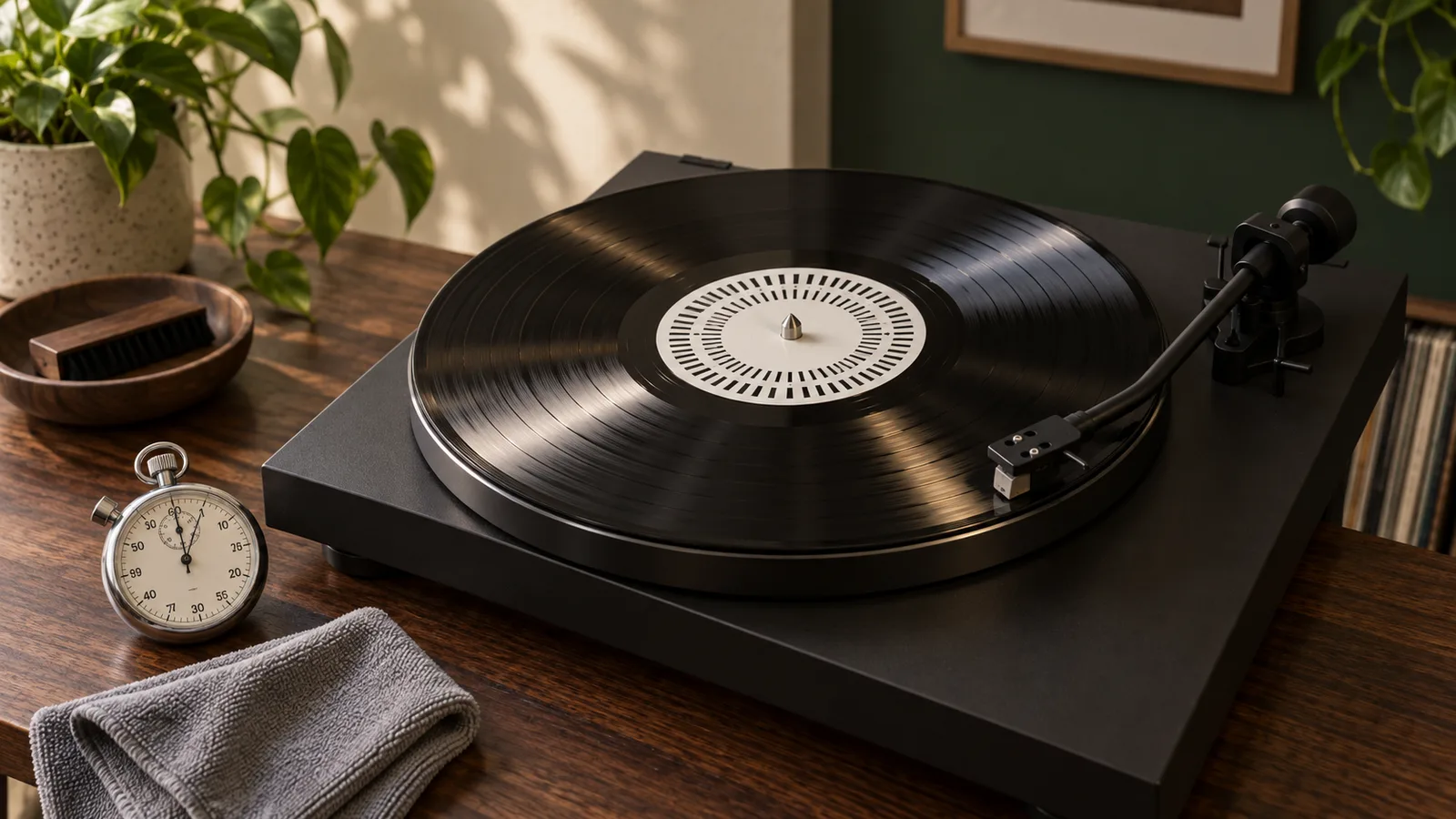
A strobe disc gives you a repeatable visual check. Use the ring marked for your mains frequency and target speed. Place the disc over the spindle, leave the tonearm in its rest, start the platter, and illuminate the disc with the light specified by the strobe maker.
Pro-Ject says the correct row of marks should appear stationary. Marks that drift one way indicate fast rotation, while drift in the other direction indicates slow rotation. Its Strobe it instructions call for a mains-powered light and warn that daylight, torches, and DC-powered LEDs are unsuitable for that product.[9]
A phone app can be useful for comparing today with last month, but it is not the first tool I would use to calibrate a deck. The phone adds weight to one part of the platter, its position may not be centred, and different sensors and apps can disagree. If the result is surprising, confirm it with a proper strobe or ask a technician to measure with a test record.
Let the platter reach normal running speed before judging it. Make a note of whether the marks drift steadily or hunt back and forth. A steady offset and unstable movement are different faults.
Check the belt safely
Unplug the turntable before removing the platter. Fit the stylus guard if the cartridge has one, lock the tonearm, and read the model manual first. Some platters lift straight off. Others use clips, screws, or a different drive layout.
Once the belt is visible, look for:
- a twist in the belt
- a belt that has slipped off the motor pulley
- a shiny, loose, cracked, or sticky surface
- oil, grease, or residue on the belt or drive surface
- a belt riding at the wrong height or on the wrong pulley step
Audio-Technica treats the belt as a consumable part. Its AT-LP60X manual says to replace it when playback slows or rotation becomes irregular, to avoid twisting the replacement, and to check that it sits correctly on the platter and motor pulley.[38]
Do not stretch a belt to make it fit and do not spray it with a household cleaner. Buy the replacement specified for the model. A belt that looks close enough can still have the wrong length, width, thickness, or elasticity.
Keep fingers off the belt and drive surfaces where practical. Pro-Ject warns that sweat or grease can reduce belt performance and lifespan. Its current Debut EVO 2 guide also lists an overstretched or dirty belt and a dirty, damaged, or unoiled platter bearing among possible causes of inconsistent sound.[30]
Do not adjust hidden speed controls casually
Some turntables have user-accessible pitch control or documented speed adjustment. Others hide trim controls underneath the plinth or motor. Those hidden controls are not an invitation.
Only adjust speed when the service or user manual for the exact model explains the procedure. Mark the starting position, use the specified tool, and make tiny changes while measuring. If the deck is under warranty, stop and contact the retailer or maker before opening anything.
A direct-drive turntable with unstable speed may have an electronic, control, or mechanical fault that a collector cannot diagnose safely. The same applies when a belt-drive model still drifts after the correct belt is installed and the platter turns freely.
Know when the record is the problem
An off-centre pressing creates a repeating pitch bend because the groove pulls the tonearm inward and outward on every turn. The effect is easiest to hear on sustained notes near the end of a side.
Watch the cartridge from the front without touching the deck. A small amount of movement from a warped record is vertical. Off-centre movement is sideways. Compare another record before blaming the turntable.
Do not enlarge the centre hole of a valuable record as a first response. It is irreversible, easy to get wrong, and may reduce both usability and resale value. Exchange a new faulty copy while the return window is open.
Use this order of checks
- Confirm the speed printed on the record or sleeve.
- Test two familiar records.
- Watch for sideways tonearm movement.
- Check average speed with the correct strobe and light.
- Unplug the deck and inspect the belt if the manual permits it.
- Fit only the correct replacement belt.
- Recheck with the same strobe method.
- Use documented speed adjustment only.
- Book a service if speed still wanders or the required adjustment is internal.
Change one thing at a time. Write down the record, side, symptom, measurement method, and what changed. That short log is more useful than buying three parts and hoping one of them fixes it.
The bottom line
First decide whether the fault is steady, wandering, or tied to one record. Confirm the selected speed, use a strobe, then inspect the belt according to the manual. Stop before undocumented motor adjustments.
The good news is that a wrongly selected speed, misplaced belt, or worn belt is straightforward to identify. The less convenient faults still become cheaper to fix once you can tell a record problem from a turntable problem.
Sources
[9] https://pro-jectusa.com/product/strobe-it — Pro-Ject Strobe it speed-check instructions [30] https://www.project-audio.com/wp-content/uploads/2024/08/Debut-EVO-2-Userguide.pdf — Pro-Ject Debut EVO 2 user guide [38] https://docs.audio-technica.com/us/at_lp60x_um_162501370_v2_en_web_190502.pdf — Audio-Technica AT-LP60X user manual